This article will cover all the important changes that come with the Bridge 19 update. First off, if you are using an older version of Bridge, we recommend updating your theme. If you are unsure how to go about this, you can check out this video tutorial.
From now on, Bridge is fully compatible with two of the most popular page builders out there, the WPBakery and the newly added Elementor Page Builder plugin. The latest update also comes with a collection of demos built using Elementor, with more coming. More on this in a bit.
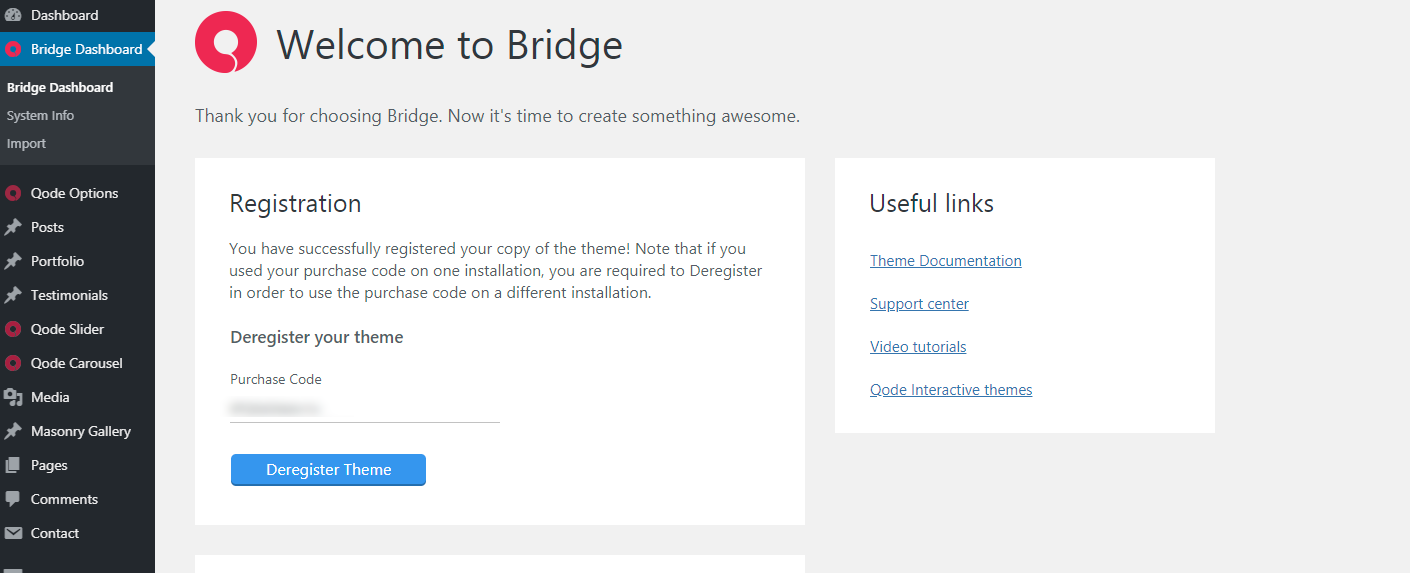
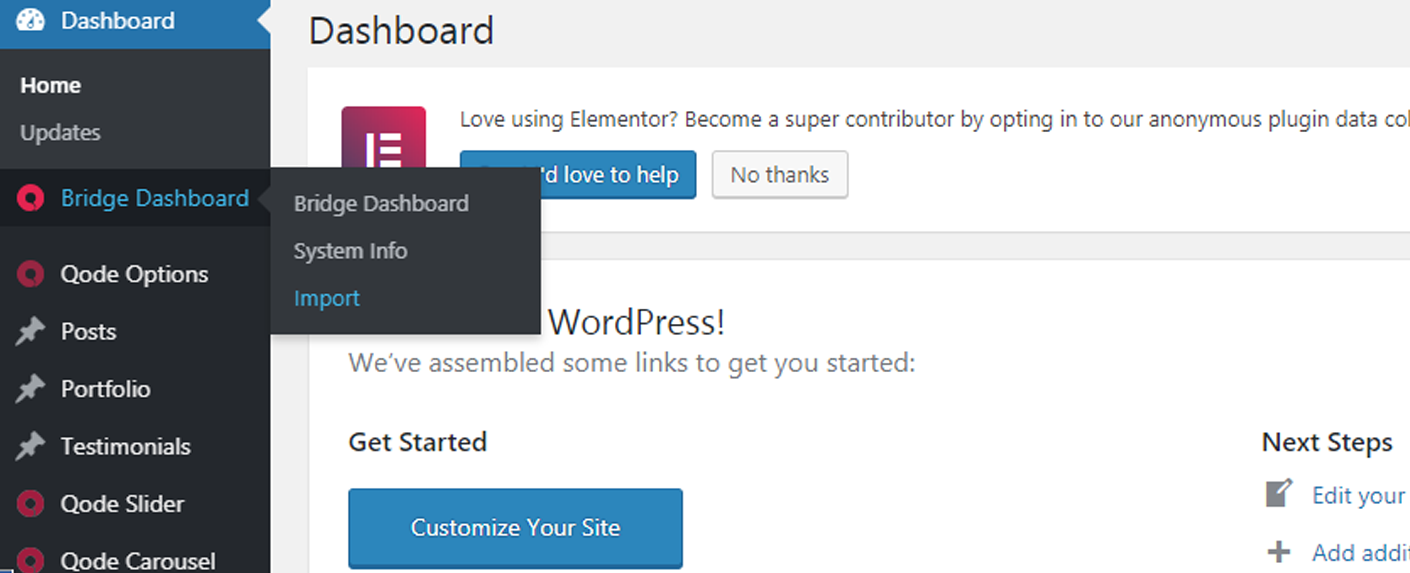
Another significant addition to Bridge is the all-new import module. To import the theme content, you should first register your copy of the theme. For more information on this, you can check out this article. To access the import dashboard, please navigate to Bridge Dashboard > Import.
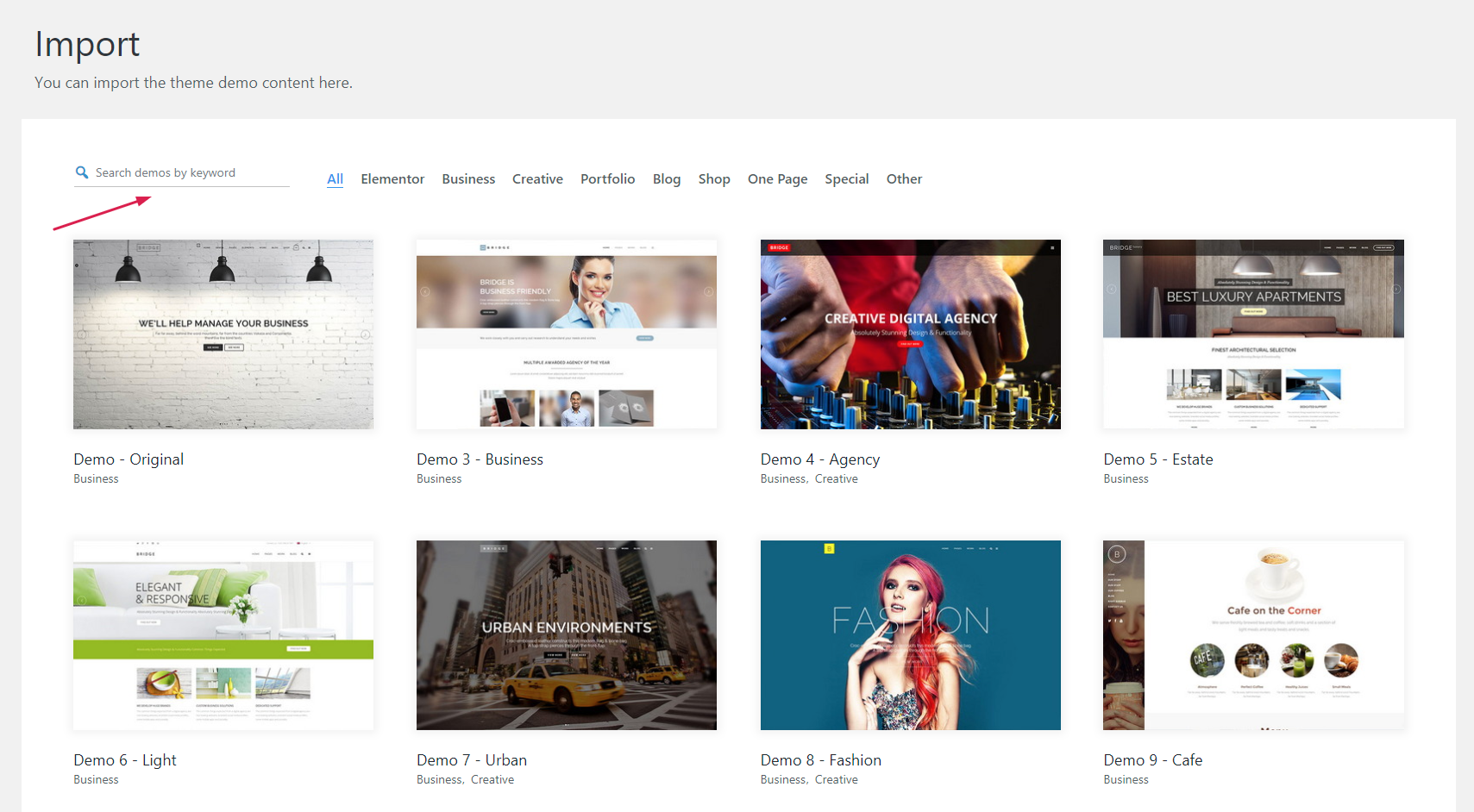
The new import module has an improved user interface, and now it lets you filter the demos by categories, and look them up by typing in a desired keyword.
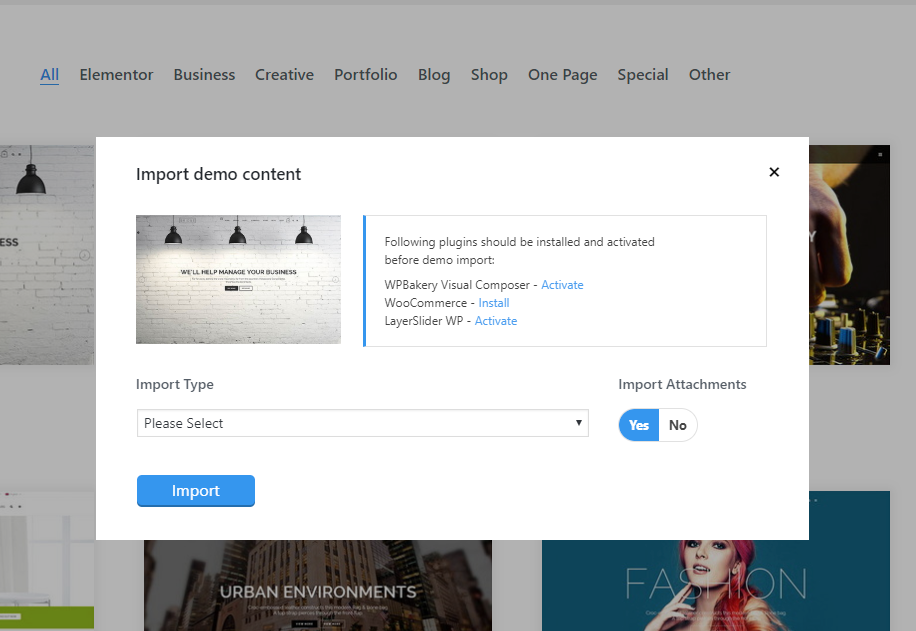
Once you pick a demo you wish to import, a popup will open displaying the required plugins you need to install and activate to be able to import and use the said demo. You can also choose the Import Type from a dropdown found in the popup, and if you wish to import the demo in its entirety, pick All from the list and set the Import Attachments option to Yes.
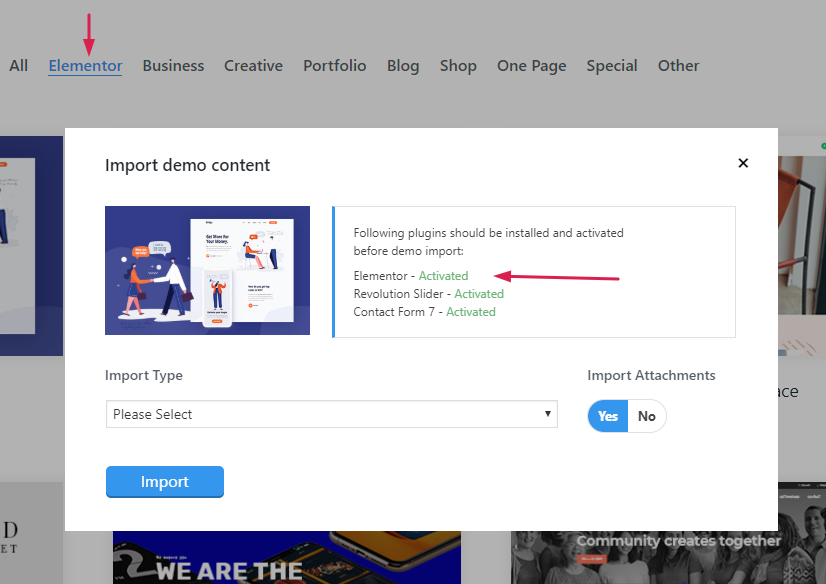
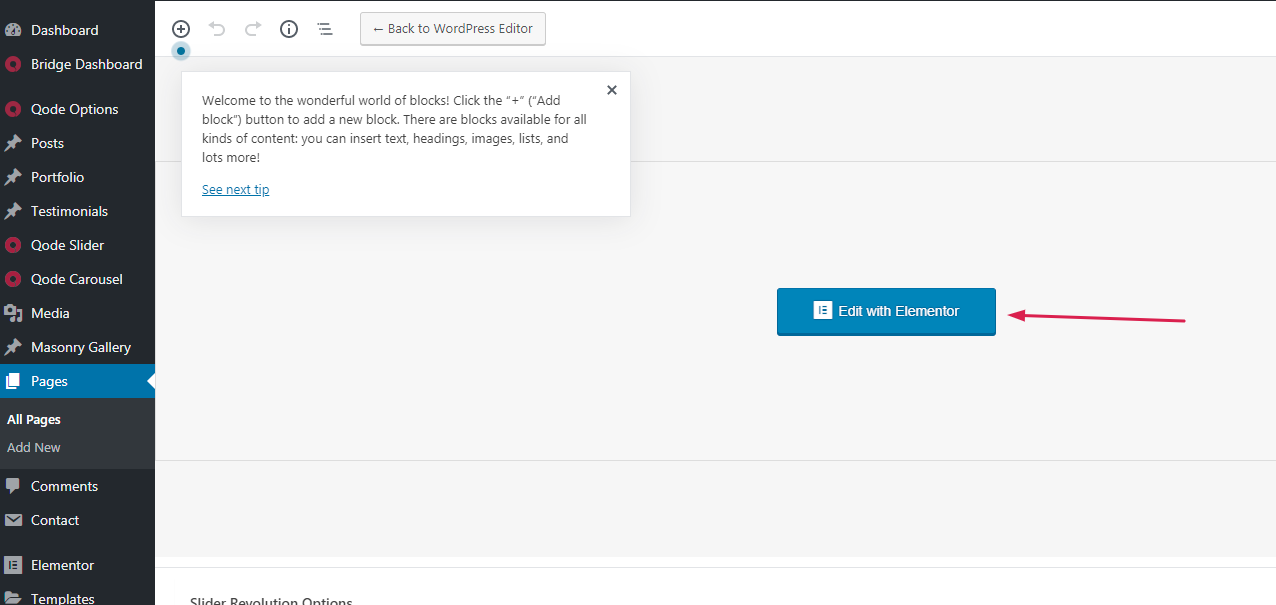
As stated above, Bridge now lets you choose how you wish to build your site; you can use either the WPBakery Page Builder or Elementor, the latter being the latest addition to Bridge. All the elements that come with the Bridge theme are available when using either of the two page builder plugins, so it doesn’t really matter which option you go for as you can get the same results with both.
Basically, you should choose the page builder you wish to use based on your personal preference, as both perform equally good with Bridge; either of the two is a viable option, and we cannot recommend one over the other.
Please note that once you pick a page builder you wish to use, you should stick to that plugin and make sure that the other one is Deactivated. Having both page builders installed and activated at the same time can have a significant impact on your website speed and overall performance.
On a final note, if you already have a website that was built using the WPBakery Page Builder, we do not recommend switching to Elementor, since you will not be able to edit any content that was built using the WPBakery. So if you plan on using the Elementor, it’s probably a good idea to use it on your next project.
Video Tutorial