All custom post types require additional slugs like /portfolio-item/, /destination-item/, /tour-item/, /property-item/, /listing/ etc.
These need to be read differently by WordPress than the default blog posts, and as such, completely removing additional slugs is not possible.
Editing permalinks, however, can be done by changing the permalink type in Dashboard > Settings > Permalinks.
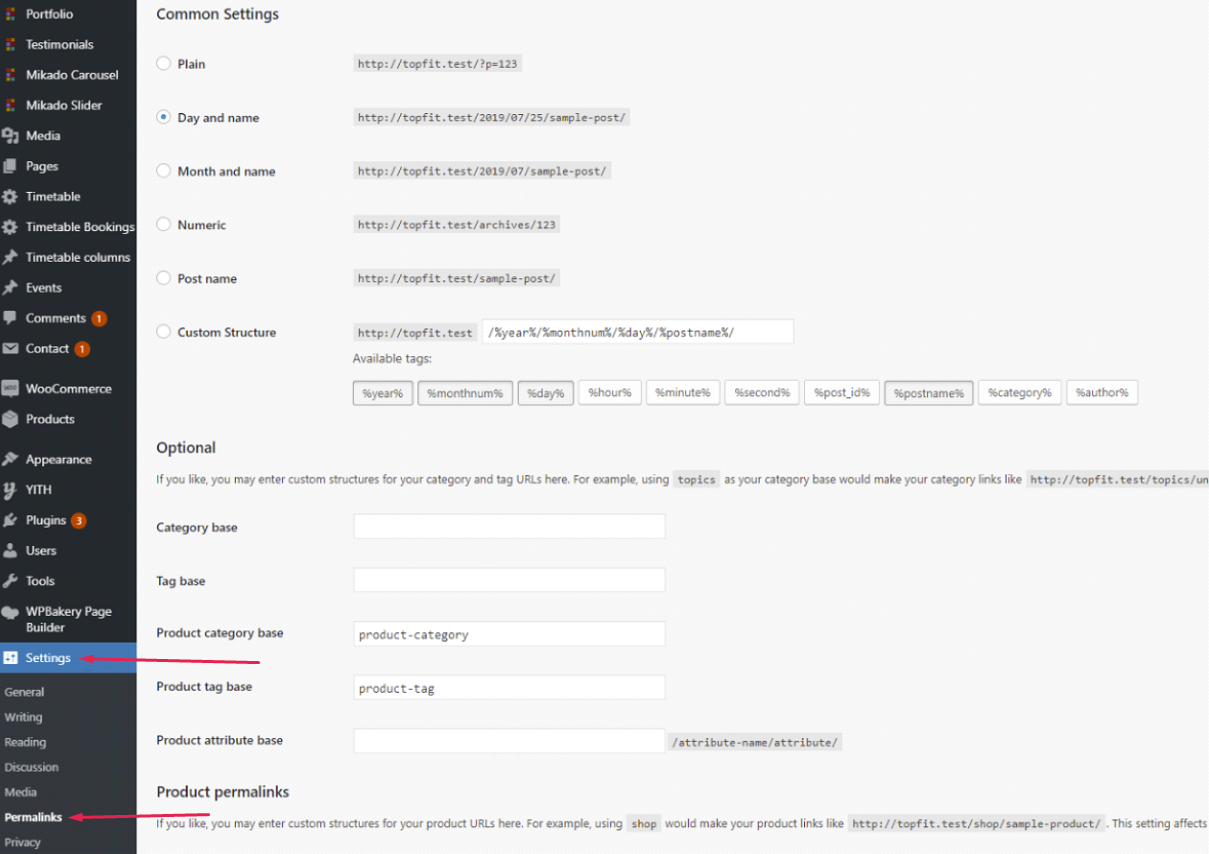
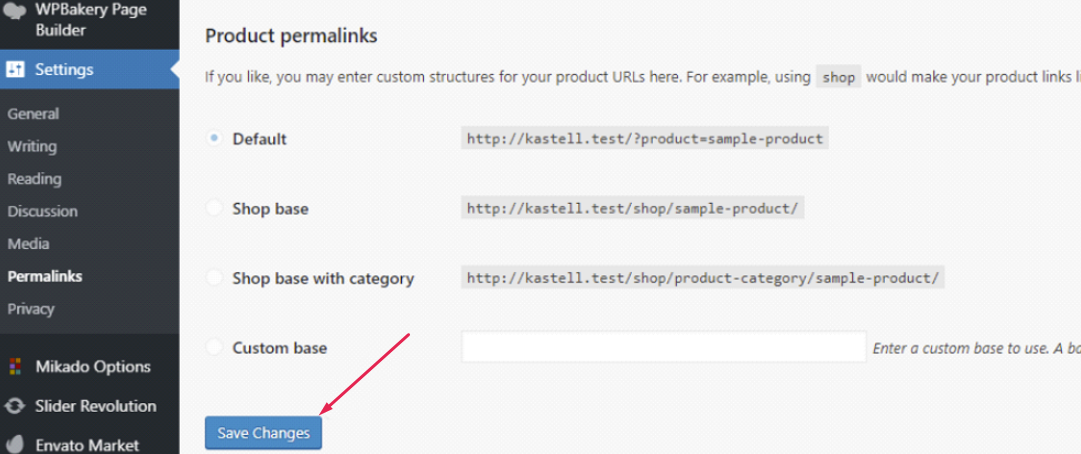
Upon changing the permalink type, it is important that you save the changes bellow.
Additionally, some themes may have an option that lets you change the slug of your custom post types.
Here are some examples of such options:
⋅ Portfolio Single Slug >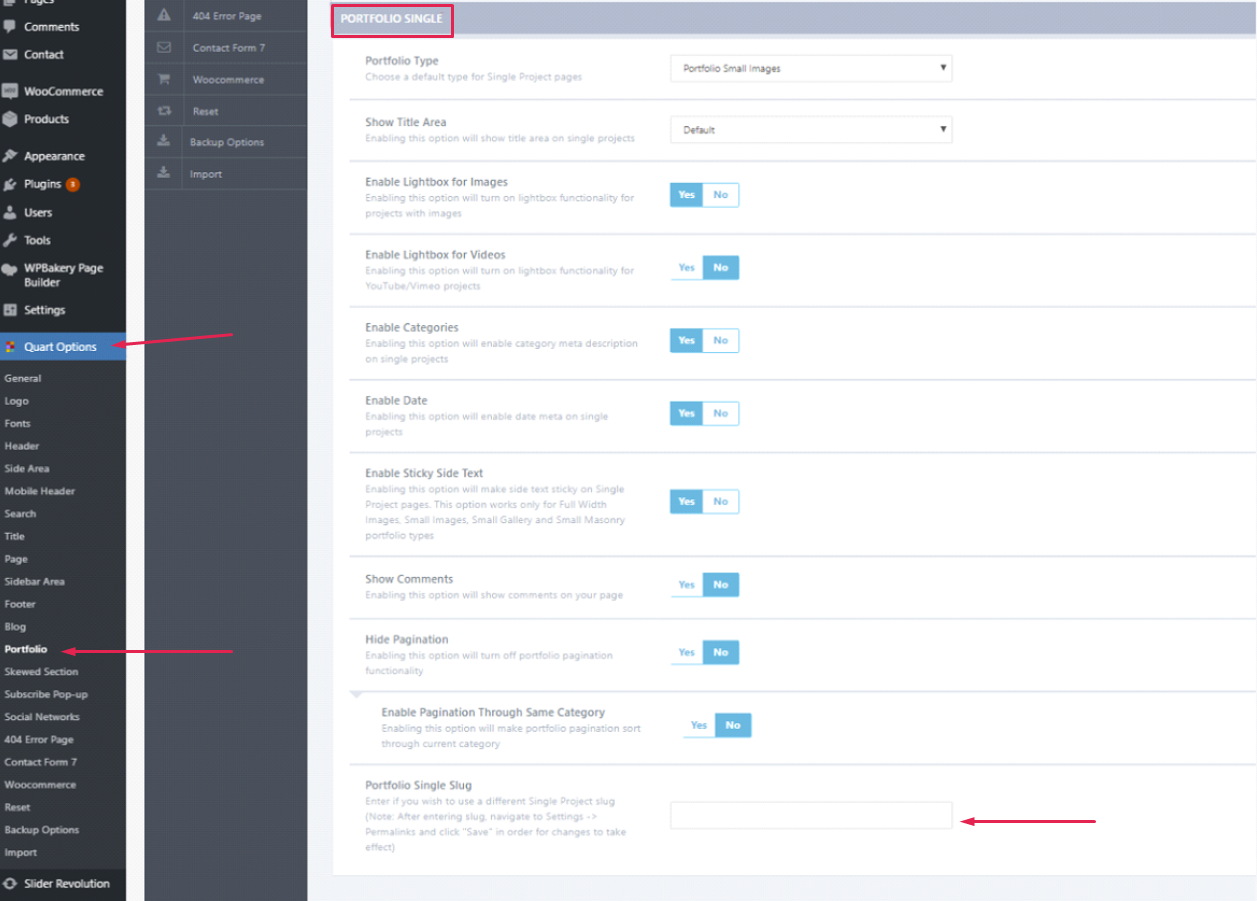
⋅ Property Single Slug >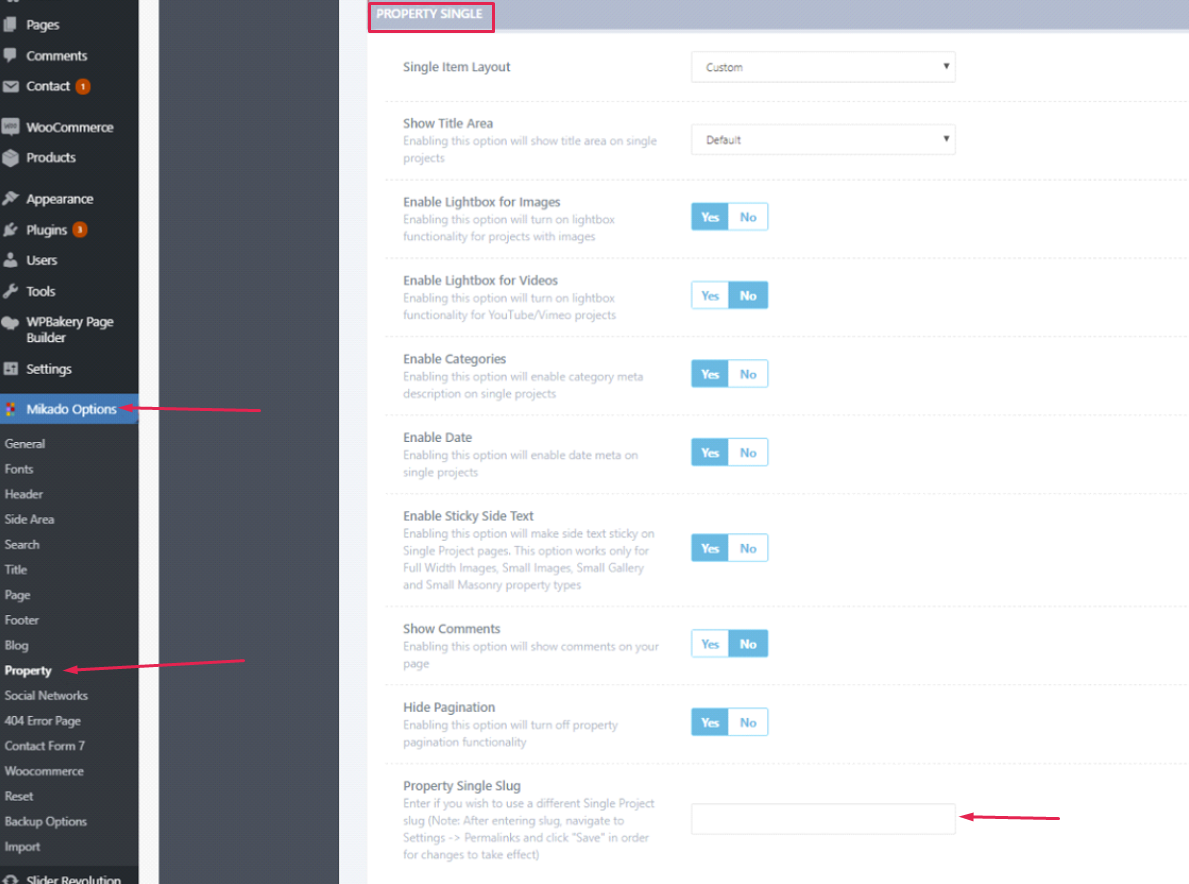
⋅ Course Single Slug >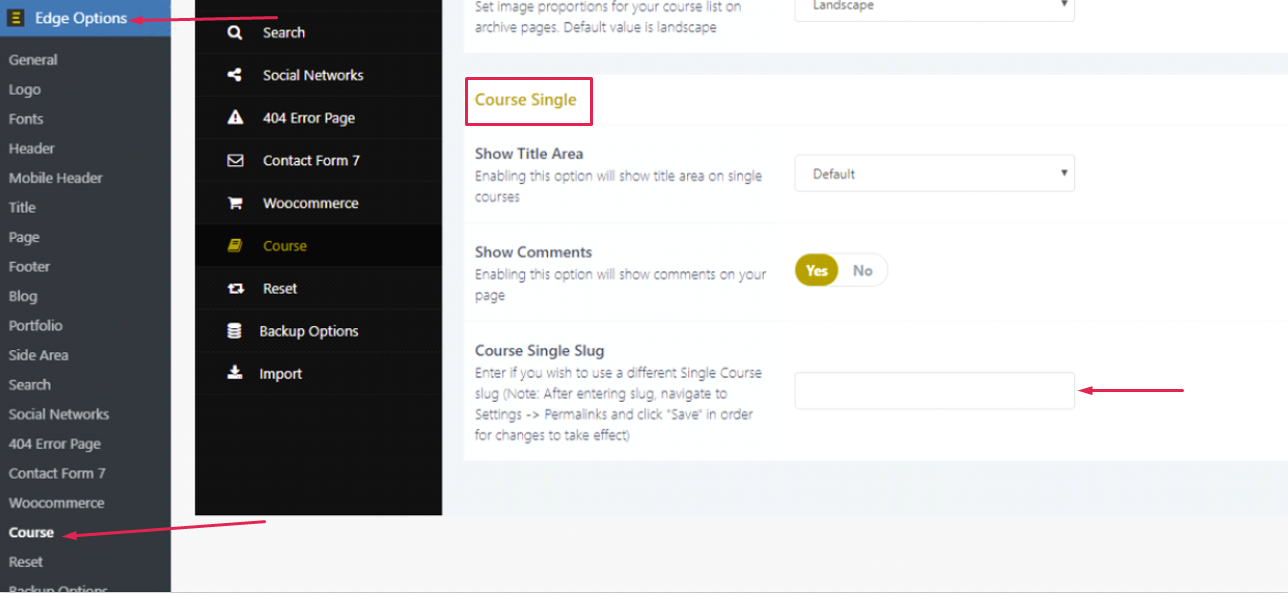
⋅ Listing Single Slug >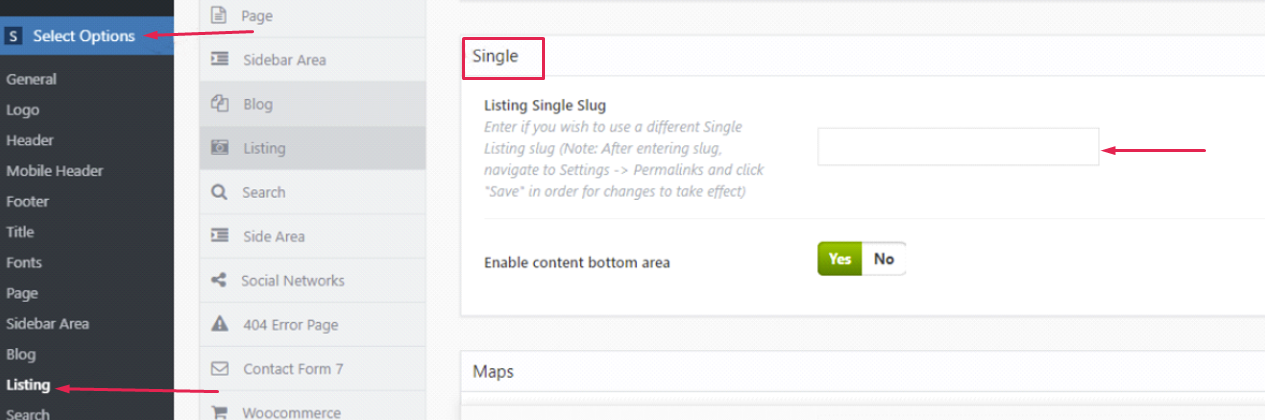
⋅ Destination Single Slug >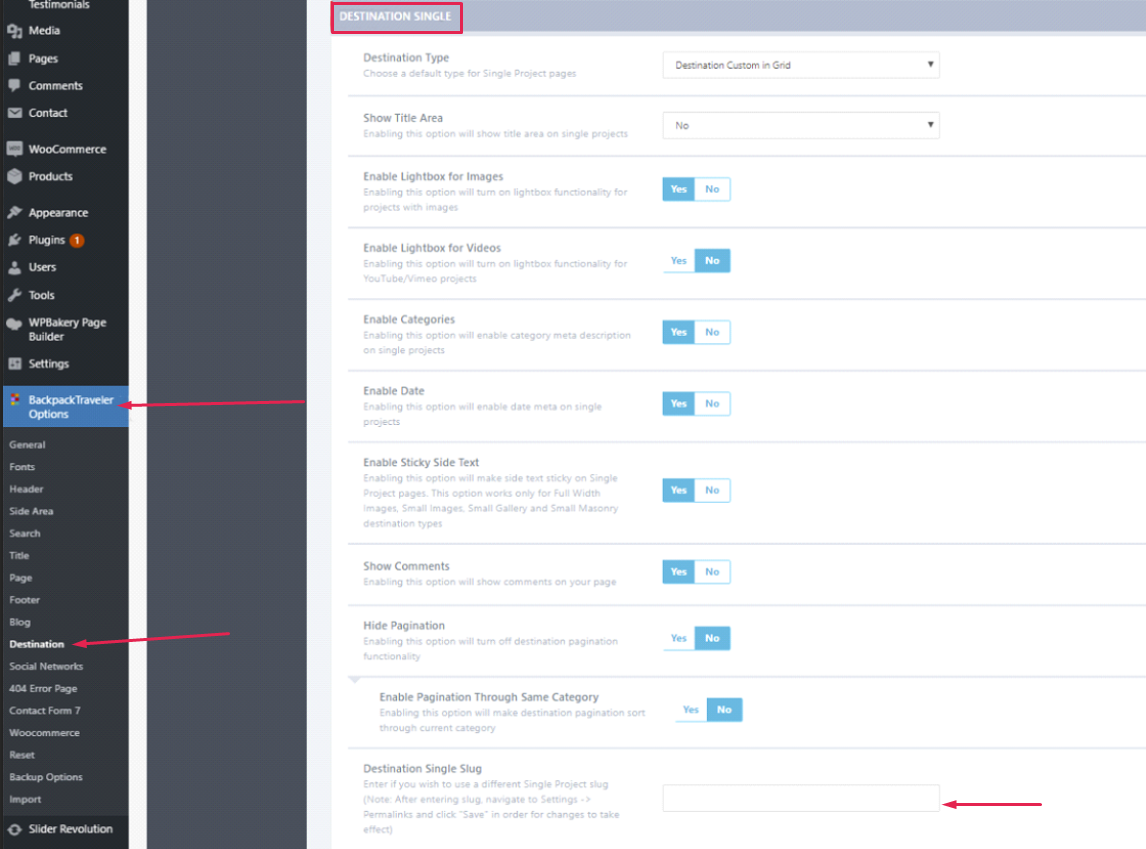
It’s important to follow the instructions in the note attached to the option which reads:After entering slug, navigate to Settings > Permalinks and click "Save" in order for changes to take effect.
After this make sure to save the permalinks, as pointed out above.
Here are some plugins some of our customers suggested might be useful for changing the custom post permalink slug, so you may find these useful:
⋅ Link 1 → https://wordpress.org/plugins/wp-change-custom-post-slug/
⋅ Link 2 → https://wordpress.org/plugins/permalink-manager/
⋅ Link 3 → https://wordpress.org/plugins/custom-post-type-permalinks/
They can prove as a valuable asset for all themes which lack the option described above.